Pantry Posting Report
The Pantry Posting Report allows users to track all the transactions that are done in the Pantry. The charges that are posted to the default house account (Pay Now cases), and the charges that are posted to reservations, groups, A/R accounts, and other house accounts are tracked in this report.
Perform the following steps to generate the report:
Navigate to Reports ➜ Dynamic Reports ➜ Accounting ➜ Pantry Posting report
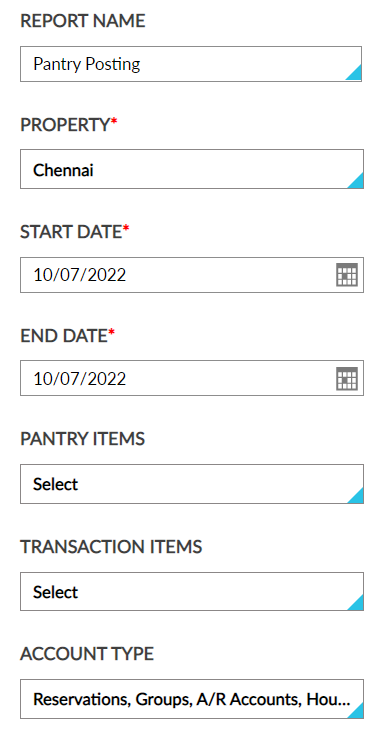
Refer to the following table and fill in the fields.
|
Field |
Description |
|---|---|
|
Report Name |
Pantry Posting. |
|
Property |
Property associated with the reservations. |
|
Start Date |
The date from which the report must be generated. |
|
End Date |
The end date until when the report must be generated. |
|
Pantry Item |
The pantry items to be included in the report. |
|
Transaction Item |
The transaction items mapped with the pantry item to be included in the report. |
|
Account Type |
The required account types (reservations, groups, A/R accounts and house accounts) to be included in the report. |
|
Transaction Type |
The required transaction types (post charge, transfer, adjustment, and correction) to be included in the report. |
|
Group by |
The group by option (pantry item, category, username, and payment method) based on which the report should be generated. |
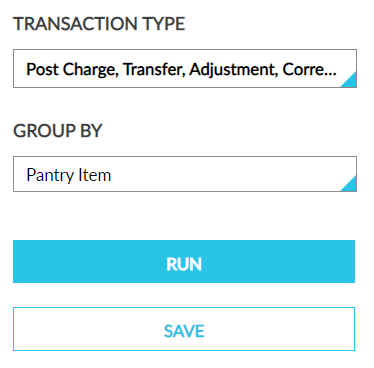
Click Run to generate the report.
Click Save to save the report under User Favorites section.
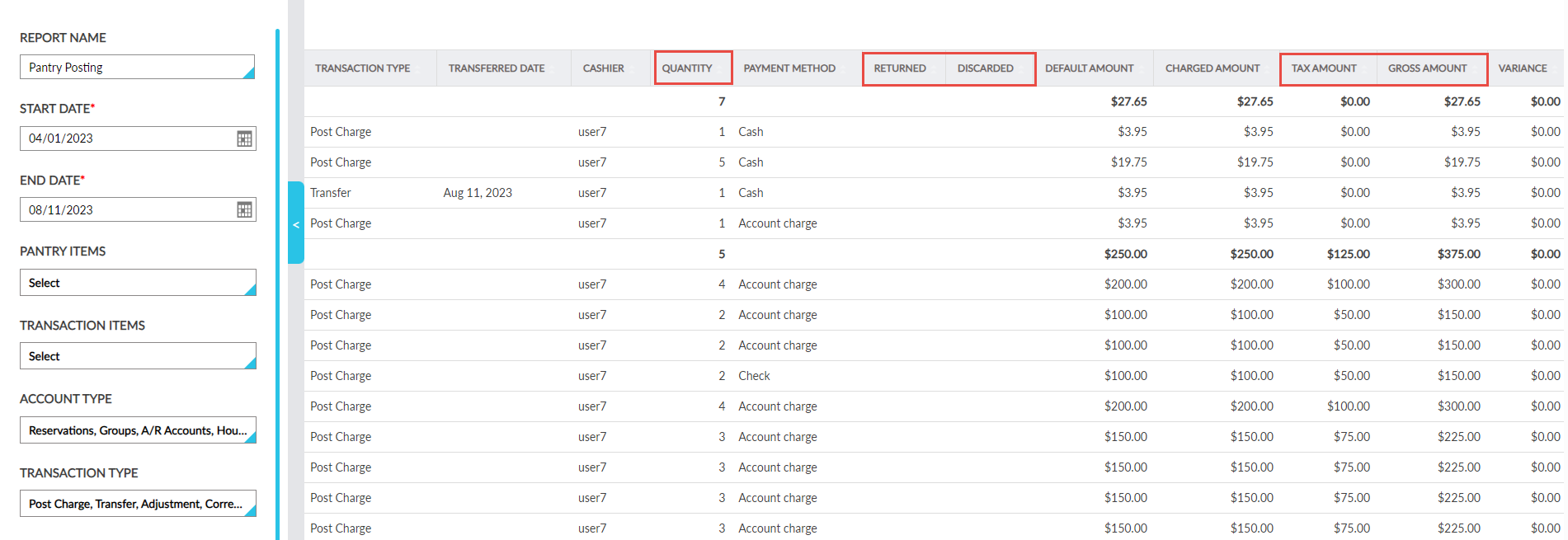
Sample Report
Report Fields
This report displays the following fields:
|
Field |
Description |
|---|---|
|
Category |
Displays the records based on the Group By option selected. |
|
Date |
The date on which the transaction was done. |
|
Pantry item |
The pantry item for which charge was posted. |
|
Transaction item |
The transaction item that is mapped to the pantry item. |
|
GL Code |
The GL code of the transaction item for which charge was posted. |
|
Account Type |
The account type (reservations, groups, A/R accounts and house accounts) in which the pantry charges are posted. |
|
Account |
Displays the following identifiers for each account type:
|
|
Account Name |
Displays the following indicators for identifying the account’s name:
|
|
Transaction Type |
Displays the type of transaction (post charge, transfer, correction, and adjustment) performed. |
|
Transferred Date |
Displays the date on which the transfer is done. |
|
Cashier |
Displays the name of the Cashier who performed the transaction. |
|
Quantity |
Displays the quantity of the pantry items for which charge was posted. |
|
Payment Method |
Displays the payment method selected for posting the charge. |
|
Returned |
Displays the number of pantry items returned to inventory. |
|
Discarded |
Displays the number of pantry items discarded from the inventory. |
|
Default Amount |
The default amount of the posted pantry item. |
|
Charged Amount |
The actual amount that was paid. |
|
Tax Amount |
Displays the tax amount for each posted pantry item. |
|
Gross Amount |
Displays the gross amount which is calculated by obtaining the sum of the Charged Amount and Tax for each pantry item. |
|
Variance |
The difference between the default amount and the charged amount. |
|
Variance Authorizer |
Displays the username of the user who authorized the override. |